TI's Opamps for Everyone goes into great detail on various opamp circuits and their design criteria.
If you have a mind for designing your own filters, GNU Octave's signal and controls packages more or less replicate commercial Matlab's controls and signal processing toolboxes (console mode only, of course).
LTSpice is a free SPICE with built-in schematic capture. It is very much tuned for selling Linear's catalog, since it contains models for many of their parts, but is also generally useful.
Any introductory text on SISO (single input/single output) control theory will be a good start, since the same underlying tools are used for signal processing as well as active control systems. The Wikibook on control systems is OK, and will at least get you a feel for some of the mathematics. Modern Control Systems by Dorf and Bishop is a great SISO textbook. Modern Control Theory by Brogan is a great MIMO (multi-input/multi-output) text, too.
For just noodling and doodling around, the functions 'tf', 'ss', 'bode', 'freqz', 'butter', 'tf2sos', 'besself', and 'c2d' are a decent start.
For professional turn-key work in the US, I've found Advanced Assembly (http://aa-pcbassembly.com/) to be absolutely fantastic. They've managed to produce a pick-n-place automated process for low-volume fully-assembled prototype quantity PCB assemblies. The service is priced a little too high for amateur work, but its worth every penny for nimble startup work.
Great list! Thank you!
I agree with @anfractuosity, that I'd like to see SnapEDA on this list. There my go-to source for CAD packages. I don't even create CAD parts anymore; if it's not in their DB already, I just request it. I've had great success with them.
Yes. The Third Edition came out last year, after a delay of about 20 years, and now they're up to date. This matters, because they mention lots of specific part numbers.
Horowitz and Hill haven't accepted that everything is surface mount now. Read their chapter on soldering, where they whine about surface mount, instead of telling you how to do it. There are lots of surface mount soldering videos, most of which are by people who have much better than average tweezer dexterity.
As a word of encouragement, I know one can do complex surface mount soldering with just a few specialized tools.
I picked up a good stereo zoom microscope from craigslist. Mine is a Leica but I also recommend the amscope and similar models you can get online. They're a chinese rebrand but I've used those models and the optical quality is great. I recommend the models with a boom arm if you have the space.
Then you need a hot air rework station.
You can apply solder paste manually from a tube - just squirt the paste onto the pads. This is uneven and will require clean up with an iron and sometimes multiple tries.
Get a no clean flux pen also.
If you want to do more than one PCB, I highly recommend using a solder stencil. I recommend getting PCBs from Seeed studio in china - 10 PCBs starts at $20 (total) plus shipping (around $40). Throw in a solder stencil for another $20. When the stencil arrives use heavy scissors to cut out about two inches/50mm around your design, take one of the pieces of stiff board that the PCBs are packaged with, tape down some extra PCBs around one free PCB, and then tape the stencil on the top so it lines up.
Get some solder paste from Digikey or Sparkfun and use an old gift card to squeegee it onto the PCB. Then lift the stencil up using one piece of tape as a hinge. Super easy to do this at home.
Now place on parts using tweezers and the microscope.
Then use the hot air gun to slowly heat up the PCB till it's all about 260C, and then turn it to 360C and briefly melt the solder at all locations. Then let it cool.
If you want to do this regularly, invest in a T962A soldering oven from ebay for ~$300 from ebay.
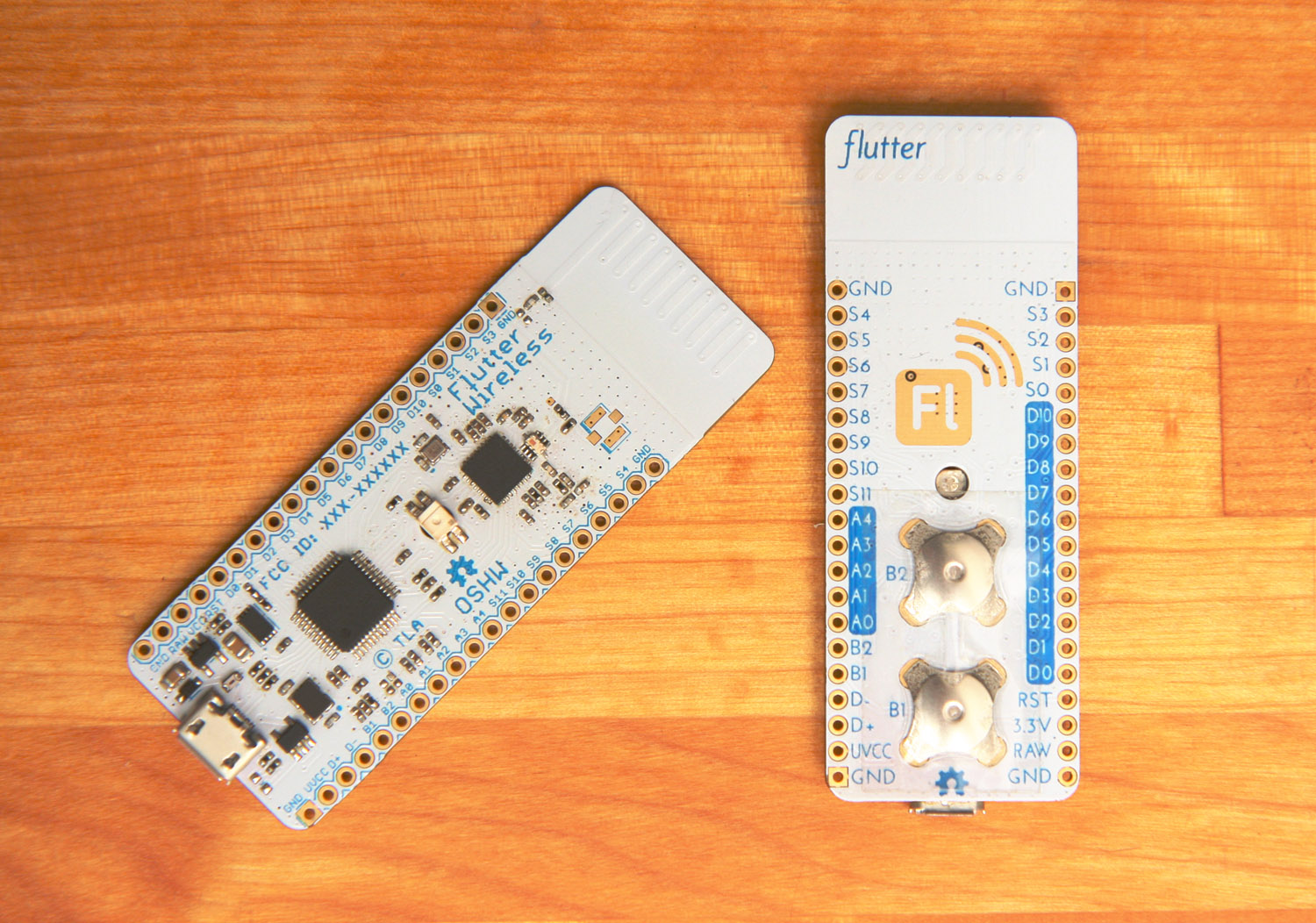
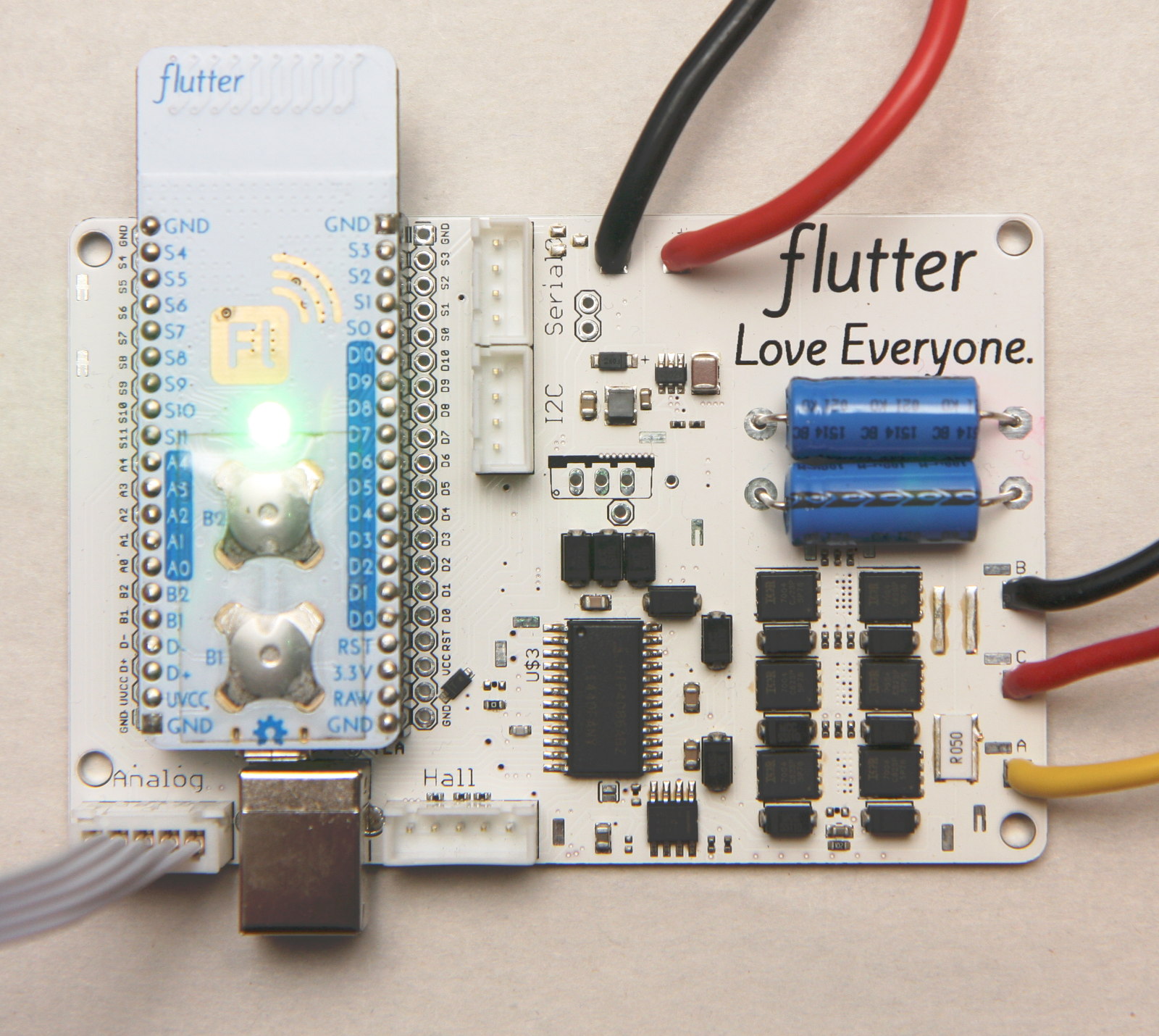
I did a kickstarter for a little wireless internet of things board, and this is my process for home assembly. When you want to do mass assembly, consider Seeed studio. I had them assemble 4000+ boards and it mostly went well. I did have an issue with an incorrectly substituted part so be very clear about what work you expect done and be clear about which parts you will accept substitutes for. They did make good on their error and I would use them again.
My email is in my profile if you want more tips on SMT soldering.
EDIT: For PCB design I previously would have recommended EAGLE, but now I would recommend KiCAD. I have not yet used KiCAD, but this is just a learning curve issue (new software versus a busy schedule). If you're learning from scratch and want a tool you can use forever, I'd recommend KiCAD based on recommendations from others.
The T-962 and its clones out of the box have temperature so uneven that it can scorch the center of a board while reflowing OK an inch away from the center. With various mods [1] it's marginally usable. I've used TechShop's unmodified clone unit (melted the solder mask at board center and scorched the FR4 substrate) and a used modified Puhui unit (after careful setting of a suitable heating curve, acceptable.) With new firmware, the cooling fan is run slowly during the heating phase, which stirs the hot air and reduces the hot spot problem. You have to pay about $3000 to get a reflow oven that Just Works, unfortunately. The good ones are true convection ovens with uniform air temperature.
KiCAD is not bad. The schematic drawing part is mostly OK. The schematic symbol and footprint editors are poor draw programs, and the library management is painful, but once you figure out all the quirks, usable.
Board layout is strange. There are really two board layout programs, one for OpenGL and one for non-OpenGL, and they have different features, some of which are completely irrelevant to the display. You can switch back and forth on the fly. There used to be an auto-router, but due to an IP problem (the author of the auto-router worked for a company that sold auto-routers) it's been deprecated. Manual routing has a lot of computer assistance, and is usable but touchy. The output end, with Gerber and drill files, seems to work fine; I've had boards fabbed by two vendors with no problems.
Interesting about the T-962 problems. I've been using my T-962A out of the box on PCBs for a few years and have had no problems. I get even soldering with no scorching and no cold solder spots either.
Perhaps the larger T-962 is afflicted by problems the T-962A does not have? Or the variability in design is significant? Or my PCBs are all small enough to avoid problems?
But thanks for the link and comments about KiCAD. I'll look in to those improvements.
If you are already making your own PCBs, making your own kiln with a thermocouple, PID, and heating element ought to be no sweat. Just buy a handful of softbricks, cut them with a saw, and put them together. I've made kilns like this that go up to 1950F. 300 - 400 should be really easy.
Surface mount soldering requires a careful temperature profile. You first preheat to about 50C below the melting point of solder for about two minutes. Then, the temperature is raised to above the reflow point and held there for about 20 seconds, which is when the soldering takes place. It's easy to damage the components at this point; many components have a maximum temperature tolerance of only 30 seconds at reflow temperature.[1] Then there's a cool-down period. There are ramp rate limitations - heating up too fast causes solvent "pops" in the flux, and heating up too slowly cooks the components. Cooling too fast causes cracks in the solder; cooling too slowly cooks the components. A brick kiln would have too much thermal mass for all those controlled temperature changes.
Once it's all tuned and controlled properly, it works great as a cheap production process. The commercial systems work like a hamburger cooker at Burger King - there's a chain conveyor and several zones of different temperature through which the product passes. Once one of those ovens is warmed up and stabilized, it produces consistent results. It's doing this on one-offs that's hard.
Leaded soldering is about 2x more tolerant of temperature variations than lead-free.
Yeah a books section would be nice. I must admit that "The Art of Electronics" is was so obvious that I didn't even think of it. That's the trouble with trying to get into the beginners mind set I suppose.
Do people have any other book recommendations we could fill the section with?
https://www.circuitlab.com/ for browser-based circuit simulation and schematic capture (now used for teaching EE in dozens of US universities and growing -- note: wrote it!)
Wow, this is a very good list and eminently bookmark worthy.
I would also include sites like Adafruit.com and Sparkfun.com for prototyping supplies and the blogs they host. I know Octopart or the other Parts searches would cover these.
Another useful link would be to lists of electronics tools/instrumentation such as Oscilloscopes, Logic Analyzers, Spectrum Analyzers, plain vanilla Multimeters. EEVBlog has fantastic blog posts/equipment reviews and is already included in the list. This would help build your own little electronics workshop and would be useful to folks who are not formally trained in EE and want to self study and practice.
I especially loved the 'All About Circuits' tutorial site. I am too lazy to pore over my old Millman & Halkias or Horowitz and Hill text books. This gives me the information in bite-sized chunks.
Edit: I just noticed the 'contributing.md' link. Good work.
"Don't come to me with problems, come to me with solutions." eh?
I would like to shamelessly submit PartsBox.io (https://partsbox.io/) as a solution to keep track of your components once you start designing & building something.
It's free for Hobbyists/Makers with single-user access, multi-user access is in paid plans.
Hi jwr, I have been considering adding a section with Partsbox.io and Partkeepr but have been hesitating because I don't have any personal experience with them yet. But given I got this review from a redditor I should probably add it: https://www.reddit.com/r/electronics/comments/5oc84d/a_curat...
On a side note I would love to pick your brain sometime about starting a business in this area as I am considering the avenues for turning my project sharing site https://kitnic.it into one.
I _have_ checked out the web interface a bit and it seemed really nice. I think the main problem for me is the time investment required to input all the parts to give it a real go.
If anyone hear could vouch for Qucs simulator and explain a bit why it's good I would love to add it. It was recommended before but without reasoning and I haven't had a chance to try it.
Qucs is trying to emulate Keysight's ADS software. It is mainly RF focused, but can do a lot more. ADS is awesome. Qucs has great potential, but needs some work. It is still useful, though.


TI's Opamps for Everyone goes into great detail on various opamp circuits and their design criteria.
If you have a mind for designing your own filters, GNU Octave's signal and controls packages more or less replicate commercial Matlab's controls and signal processing toolboxes (console mode only, of course).
LTSpice is a free SPICE with built-in schematic capture. It is very much tuned for selling Linear's catalog, since it contains models for many of their parts, but is also generally useful.